AU English (AUS)
US English (US)
Log a Support Call RBC Website
English (AUS)
AU English (AUS)
US English (US)
  • Home
  • HP
  • HP Print

How to a resolve a paper mismatch on HP machines

Contact Us


Can't find what you're looking for?

Log a Support Call
  • HP
    HP Print HP Copy HP Scan HP Fax HP Apps HP Meters HP Other
  • Lexmark
    Lexmark Print Lexmark Copy Lexmark Scans Lexmark Fax Lexmark Meters Lexmark Other
  • Ricoh
    Ricoh Print Ricoh Copy Ricoh Scan Ricoh Fax Ricoh Meters Ricoh Other
  • DaaS
  • docs2me
  • ip2me
  • COVID-19
  • Recycling and Sustainability
  • Printer Monitoring
  • eMeters
  • Security
+ More

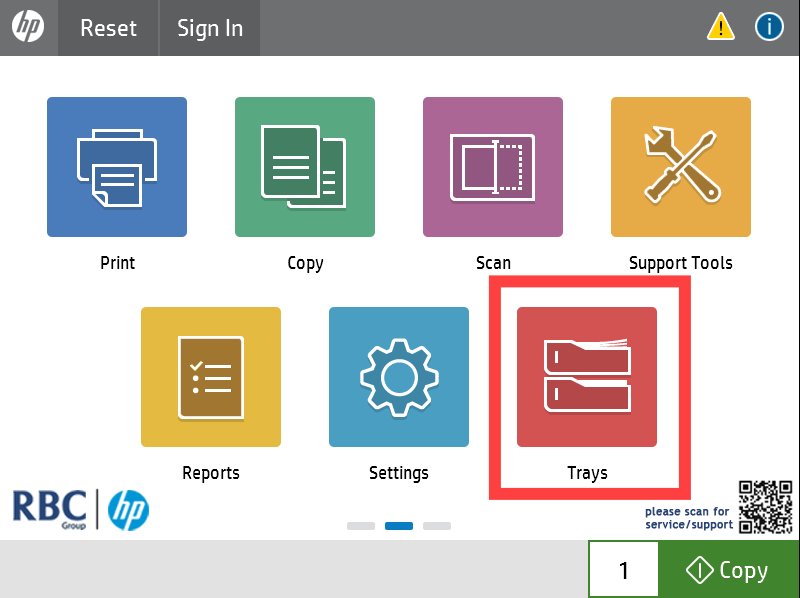
1. Open the Trays app on the printers home screen
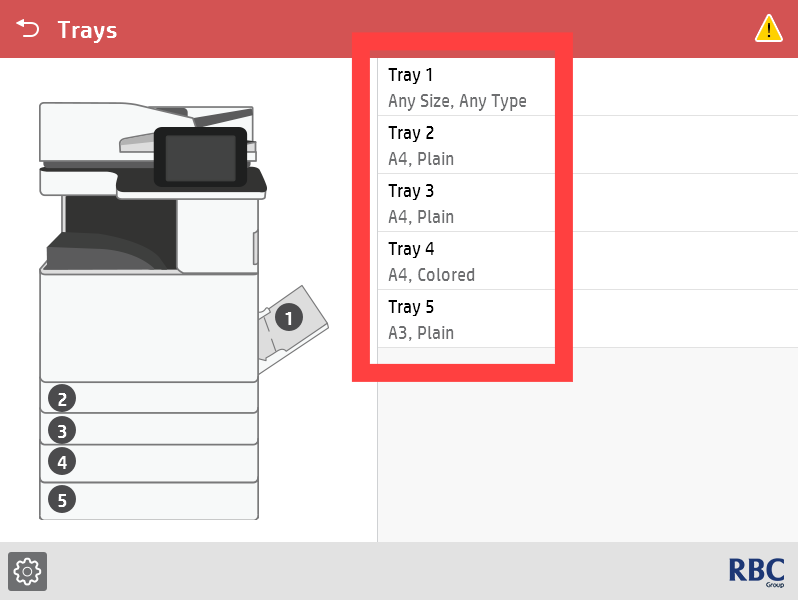
2. Confirm that all paper sizes/types are set correctly.
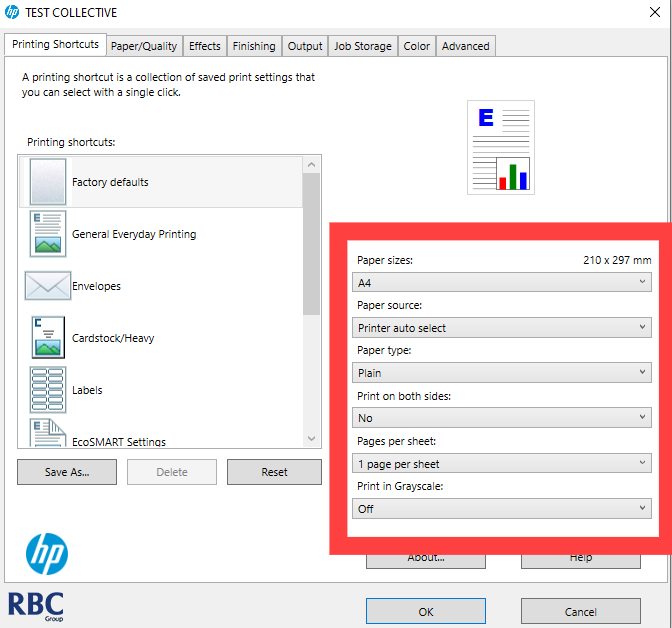
3. Confirm if the correct paper size and tray is selected before you send the print job.

Need further help?

Log a Support Call


pulling from tray 1 pulling from manual feed

Was this article helpful?

Yes
No
Give feedback about this article

Related Articles

  • Cleaning the Laser Glass of HP Printers
  • HP User Codes
  • Printer making grinding / squeaking noises
  • What to do with a 50 error on HP Printers


See our Privacy Policy

1300 857 164       CONTACT US

Brisbane

RBC Group Brisbane

17 McKechnie Drive
Eight Mile Plains QLD 4113

PO Box 199
Paddington QLD 4064

Gold Coast

RBC Group Gold Coast

1/22 Harvest Court
Southport QLD 4215

PO Box 4
Ashmore City LPO
Ashmore QLD 4214

Melbourne

RBC Group Melbourne

89 Flemington Rd
North Melbourne VIC 3051

Sydney

Interactive Australia

Tower B
39 Herbert St
St Leonards NSW 2065


Knowledge Base Software powered by Helpjuice

Definition by Author

0
0
Expand